
ADVERTISEMENT
Hidden Tricks on Your Smartphone You Might Not Know About
Smartphones have become an extension of ourselves. They wake us up, help us navigate, entertain us, and even manage our work. But while most people use their smartphones for basic calls, texts, and social media, the devices in our pockets are packed with hidden features and tricks that can save time, enhance productivity, and even make life more fun.
In this article, we’ll uncover hidden smartphone tricks for both iPhone and Android users, exploring shortcuts, hacks, hidden menus, and advanced features you probably didn’t know existed.
- Mastering Your Camera Beyond the Basics
Smartphone cameras are powerful, but most people barely scratch the surface. Here are some hidden tricks:
iPhone Tricks
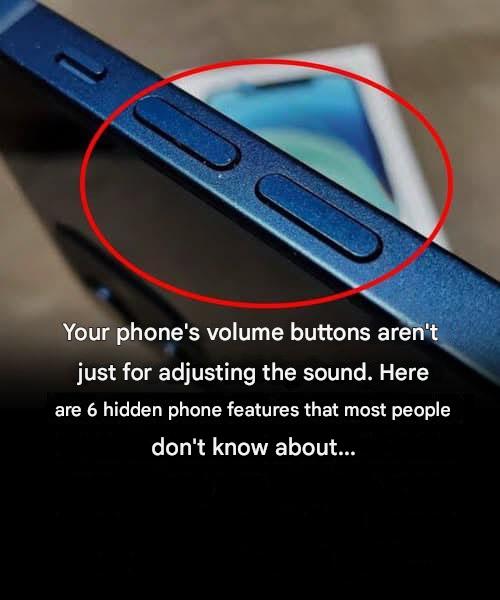
Use the Volume Button as a Shutter: Press the volume up button to snap photos instead of tapping the screen.
Burst Mode: Hold the shutter button to take multiple shots quickly—a great way to capture fast action.
Hidden Level Tool: In the camera app, enable the grid and turn on “Level” in settings for perfectly straight shots.
Quick Selfie: From the lock screen, swipe left to open the camera and take a selfie without unlocking.
Android Tricks
Gesture Shortcuts: Double-tap the power button on some Android phones to launch the camera.
Quick Settings Flashlight: Some phones let you long-press the camera icon to open a flashlight toggle.
Manual Mode: Many Androids have “Pro Mode,” allowing you to adjust ISO, shutter speed, and white balance.
Hidden Scanning Tools: Long-press the camera app icon for quick access to QR code and document scanning.
These camera tricks can elevate your photography skills without buying new equipment.
- Supercharge Your Battery Life
Battery life is a constant worry, but hidden smartphone features can help you squeeze more out of each charge.
Tips for iPhone Users
Low Power Mode: Activates automatically when battery is low, but you can turn it on anytime via Settings → Battery.
Battery Health Feature: Check Settings → Battery → Battery Health to see your battery capacity and optimize charging habits.
Background App Refresh: Turn off unnecessary apps in Settings → General → Background App Refresh.
Tips for Android Users
Adaptive Battery: AI-powered battery optimization reduces power for rarely used apps.
Dark Mode: Using system-wide dark mode can save significant battery on OLED screens.
App Standby: Android automatically limits power usage for idle apps—check Settings → Battery → App Battery Saver.
Hidden Trick for Both Platforms
Charging Smart: Avoid letting your battery drop to 0% or stay at 100% for long periods. Keeping it between 20–80% extends battery lifespan.
- Hidden Gestures and Shortcuts
Modern smartphones are loaded with gestures that save time once you know them.
iPhone Hidden Gestures
Back Tap: Settings → Accessibility → Touch → Back Tap allows double or triple tapping the back of your phone to trigger actions like taking a screenshot or opening apps.
Swipe Typing: In iOS 13+, swipe across the keyboard to type faster.
Quick App Switch: Swipe left or right along the bottom edge to quickly switch apps.
Android Hidden Gestures
Split-Screen Mode: Swipe up from the home button and hold to open app switcher; drag one app to the top to multitask.
One-Handed Mode: Swipe down on the navigation bar to shrink the screen for easier one-hand use.
Screenshot Gestures: Some phones allow three-finger swipe for screenshots.
- Organize Your Phone Like a Pro
A cluttered smartphone slows you down. Hidden features can help you stay organized.
Folders and Smart Stacks: Group apps into folders (iPhone) or app categories (Android) for a cleaner home screen.
Hidden App Drawer (Android): Swipe up from the home screen to access apps alphabetically and reduce clutter.
App Library (iPhone): Automatically organizes apps by category—access it by swiping left past your last home screen.
Pinned Apps: Pin important apps or documents to prevent accidental deletion or faster access.
- Texting and Typing Hacks
Messaging apps have hidden tricks that most users never explore.
iPhone
Undo Typing: Shake your phone to undo typing or delete text.
Text Replacement: Settings → General → Keyboard → Text Replacement allows you to create shortcuts like “omw” for “On my way.”
Tap and Hold for Cursor Control: Press and hold the spacebar to move the cursor precisely.
Android
Clipboard Manager: Some Android keyboards allow you to save multiple copied items for later use.
Smart Replies: Some messaging apps like Google Messages suggest replies based on context.
Floating Keyboard: Detachable keyboard feature for one-hand typing on large screens.
- Hidden Security Features
Smartphones store sensitive data, so knowing hidden security tricks is essential.
App Lock: Many Android phones allow you to lock apps with a password or fingerprint.
Face ID/Face Unlock: iPhones and some Androids allow secure facial recognition for apps beyond just unlocking.
Find My iPhone / Find My Device: Helps locate, lock, or wipe your phone remotely.
Private Mode / Guest Mode: Android devices can create separate user spaces for privacy.
Hide Notifications: iOS lets you hide notification content until you unlock your phone.
- Hidden Camera and Media Tricks
Beyond basic photo-taking, your smartphone has hidden tools for media creation.
Screen Recording: iPhone → Control Center → Screen Record; Android → Quick Settings → Screen Record.
Live Photos: iPhone’s Live Photos captures a few seconds of motion and sound.
Hidden Albums: Hide photos from the main gallery in iPhone Photos app.
Volume Key Zoom: Some Androids allow zooming video using volume buttons while recording.
Playback Speed: Many video apps allow you to speed up or slow down videos for efficient viewing.
- Hidden Internet and Browsing Features
Smartphones are powerful browsers with some often-overlooked tricks:
Reader Mode: iPhone Safari → AA button; Android Chrome → Reader Mode shows only text, no ads.
Hidden Search Tricks: Use gestures like long-press on a word to search online immediately.
Incognito Shortcuts: Open private browsing tabs quickly to protect privacy.
Download Manager: Android allows you to manage downloaded files easily through the Files app.
- Hidden Accessibility Features
Smartphones include accessibility options that are also useful for everyone.
Magnifier: iPhone → Settings → Accessibility → Magnifier turns your phone into a magnifying glass.
Voice Control: iPhone and Android can control your device with voice commands.
High Contrast / Color Filters: Useful for reading in low light or color-blind users but can also improve general readability.
Live Caption: Android automatically captions videos, podcasts, and calls in real-time.
- Hidden Productivity Tricks
Smartphones are not just entertainment devices—they can boost productivity dramatically:
Split Keyboard: iPad and some Android tablets allow you to split the keyboard for easier typing.
Shortcut Automation: iPhone → Shortcuts app; Android → Tasker app automates repetitive tasks.
Quick Access Widgets: Place widgets on home screen for weather, calendar, or notes without opening apps.
Notes & Scanning: iPhone Notes app can scan documents, sign PDFs, and store receipts.
- Hidden Fun Tricks
Smartphones also have playful, hidden tricks:
Easter Eggs in Android: Settings → About Phone → Tap Build Number 7 times for hidden developer options.
Emoji Shortcuts: Create shortcuts for commonly used emojis.
Hidden Games: Google Chrome’s “No Internet” dinosaur game or iPhone’s iMessage games.
AR Features: Some phones include augmented reality features for fun measurements and gaming.
- Developer Options and Hidden Menus
For advanced users, smartphones have menus that unlock hidden potential:
iPhone Diagnostics: *#06# for IMEI, hidden info in Settings → Privacy → Analytics & Improvements.
Android Developer Options: Tap Build Number in Settings 7 times to unlock options like USB debugging, animation speed tweaks, and background process limits.
Testing Battery Health: Hidden menus can show battery cycles and usage stats.
- Voice Assistant Hacks
Voice assistants are more powerful than most users realize.
Siri (iPhone) Tricks: Launch apps, check flight status, send texts, control smart home devices, and even calculate tips with a quick voice command.
Google Assistant Tricks: “Hey Google, what’s my daily briefing?” or “Set a reminder when I leave work.”
Hidden Shortcuts: Both Siri and Google Assistant can run shortcuts and routines to automate tasks.
For Complete Cooking STEPS Please Head On Over To Next Page Or Open button (>) and don’t forget to SHARE with your Facebook friends
ADVERTISEMENT
