
ADVERTISEMENT
The Car Remote: A Tiny Tool with Big Potential
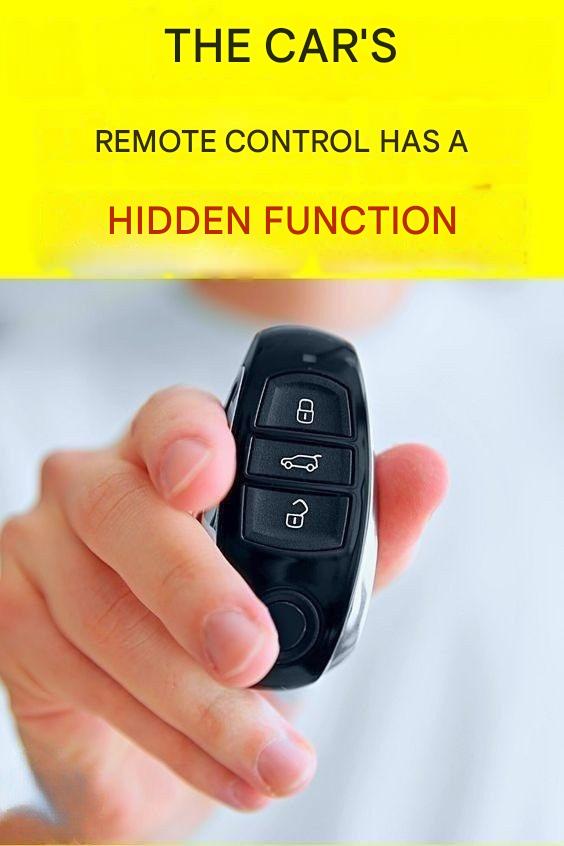
Car remote controls—often called key fobs—have evolved dramatically over the last few decades. What started as a simple device to lock and unlock doors has become a compact command center for your vehicle.
Today’s remotes may control:
Door locks
Alarm systems
Trunk or tailgate release
Power windows
Sunroof
Panic alarms
Remote engine start
Yet many drivers only use two buttons: lock and unlock. The rest remain untouched, either because they’re unfamiliar or because the driver never learned what they do.
Holding down a button for several seconds is one of the most common ways manufacturers assign secondary functions without adding more buttons.
Why “Five Seconds” Matters
You might wonder why five seconds is so commonly mentioned. The reason is intentional design.
Manufacturers want to prevent accidental activation. A quick press should perform the basic function. A long press—usually around three to five seconds—signals to the vehicle that the driver wants to trigger something more advanced.
This time delay reduces the chance of:
Windows rolling down accidentally in your pocket
The alarm triggering unintentionally
The trunk opening when you brush against the remote
So when you hold down a button for five seconds, you’re essentially telling your car: “I really mean this.”
Common Functions Activated by Holding the Remote Button
While not every car supports every feature, here are the most common things that may happen when you hold down a button on your car remote for about five seconds.
- Rolling Down the Windows
One of the most popular and useful features is global window control.
In many vehicles, holding down the unlock button for several seconds will automatically roll down all the windows. Some cars may also open the sunroof slightly.
This is especially useful when:
Your car has been sitting in the sun
The interior is extremely hot
You want to ventilate the cabin before getting in
Instead of opening the door and letting a wave of hot air hit you, you can release the heat beforehand.
Not all cars support this feature, and some require it to be enabled in the vehicle settings, but when available, it’s a game-changer.
- Closing the Windows (in Some Models)
In certain vehicles—particularly some European brands—holding down the lock button for five seconds may roll the windows back up and close the sunroof.
This can be incredibly helpful if:
You walked away and forgot to close a window
Rain suddenly starts
You want to secure the car quickly
However, this feature is less common in some regions due to safety regulations, so it may not work on all cars.
- Activating the Panic Alarm
Many remotes include a panic button, but in some designs, holding down the lock or alarm button for several seconds triggers the panic alarm.
This causes:
The horn to sound repeatedly
The lights to flash
It’s designed for emergencies—if you feel threatened in a parking lot or need to locate your car quickly in a crowded area.
- Remote Engine Start
On vehicles equipped with remote start, holding down a specific button (or a combination) for several seconds can start the engine.
This allows you to:
Warm up the car in winter
Cool it down in summer
Defrost windows before entering
In many cases, the car will run for a preset time and then shut off automatically if you don’t enter it.
- Re-Synchronizing the Remote
Sometimes a key fob stops working properly due to:
A weak battery
Signal interference
Being out of sync with the car
On some models, holding down a button for several seconds (often while near the vehicle or inside it) helps re-sync the remote with the car’s system.
While this doesn’t work for every brand, it’s a simple step worth trying before heading to the dealership.
Why Manufacturers Don’t Talk About This Enough
You might ask: If this feature is so useful, why doesn’t everyone know about it?
The answer lies in a mix of design philosophy and human behavior.
- Manuals Are Often Ignored
Most of these features are explained in the owner’s manual. Unfortunately, many drivers never read it beyond the basics.
- Features Vary by Market
A function available in one country may be disabled in another due to safety laws. Manufacturers hesitate to promote features that aren’t universally available.
- Simplicity Over Complexity
Car makers try to avoid overwhelming users. Adding too many instructions during the sales process can make the car seem complicated, even if the features are optional.
A Practical Tip for Everyday Life
The real value of holding down your car remote for five seconds lies in convenience and preparedness.
Imagine these everyday scenarios:
You’re walking toward your car on a scorching afternoon. You hold the unlock button, and the windows roll down, releasing trapped heat.
You’re halfway down the street when you realize you may have left a window open. A long press on the lock button secures everything.
You can’t find your car in a massive parking lot. Holding the button triggers lights and sound, guiding you straight to it.
These small moments add up, reducing stress and saving time.
Important Safety Considerations
While these features are helpful, they should be used responsibly.
Never rely on remote window control if children or pets are inside the vehicle.
Be cautious when using long-press features in crowded areas.
Avoid experimenting repeatedly while driving or walking through traffic.
Technology should support safety, not compromise it.
How to Find Out What Your Remote Can Do
If you’re unsure which features your car supports, try the following:
Check the owner’s manual – Look under “Keys,” “Remote Control,” or “Convenience Features.”
Search by your car’s make, model, and year – Features can vary widely even within the same brand.
Test carefully – While parked and in a safe area, try holding down the unlock or lock button for five seconds.
For Complete Cooking STEPS Please Head On Over To Next Page Or Open button (>) and don’t forget to SHARE with your Facebook friends
ADVERTISEMENT
